Define the boundary
Select one process, map systems and roles, and agree what is in and out of scope.
Explore a connected approach to 401(k) administration and recordkeeping—designed around the daily work of independent TPAs, from contribution intake and exception review to reconciliation and reporting.

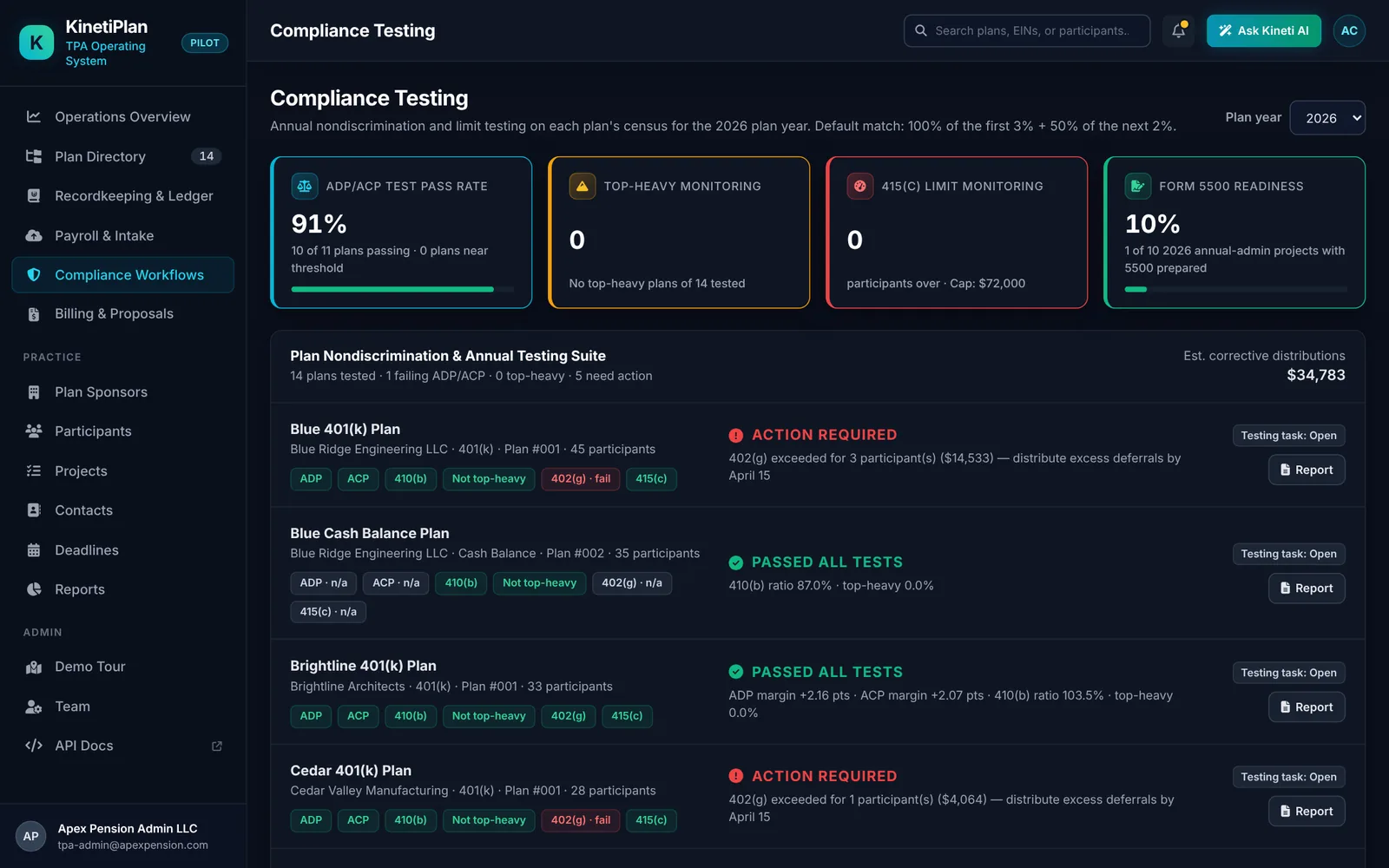
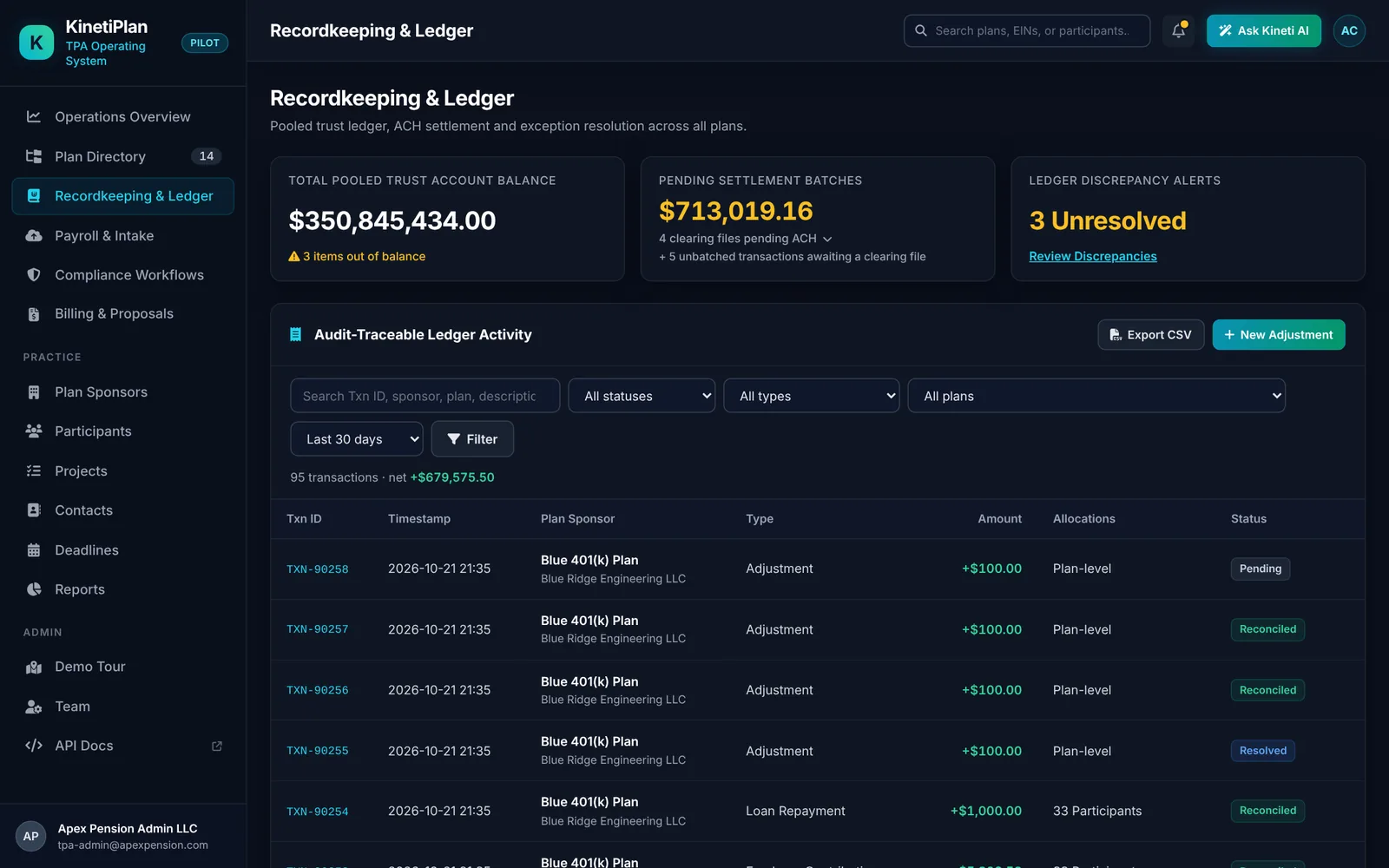
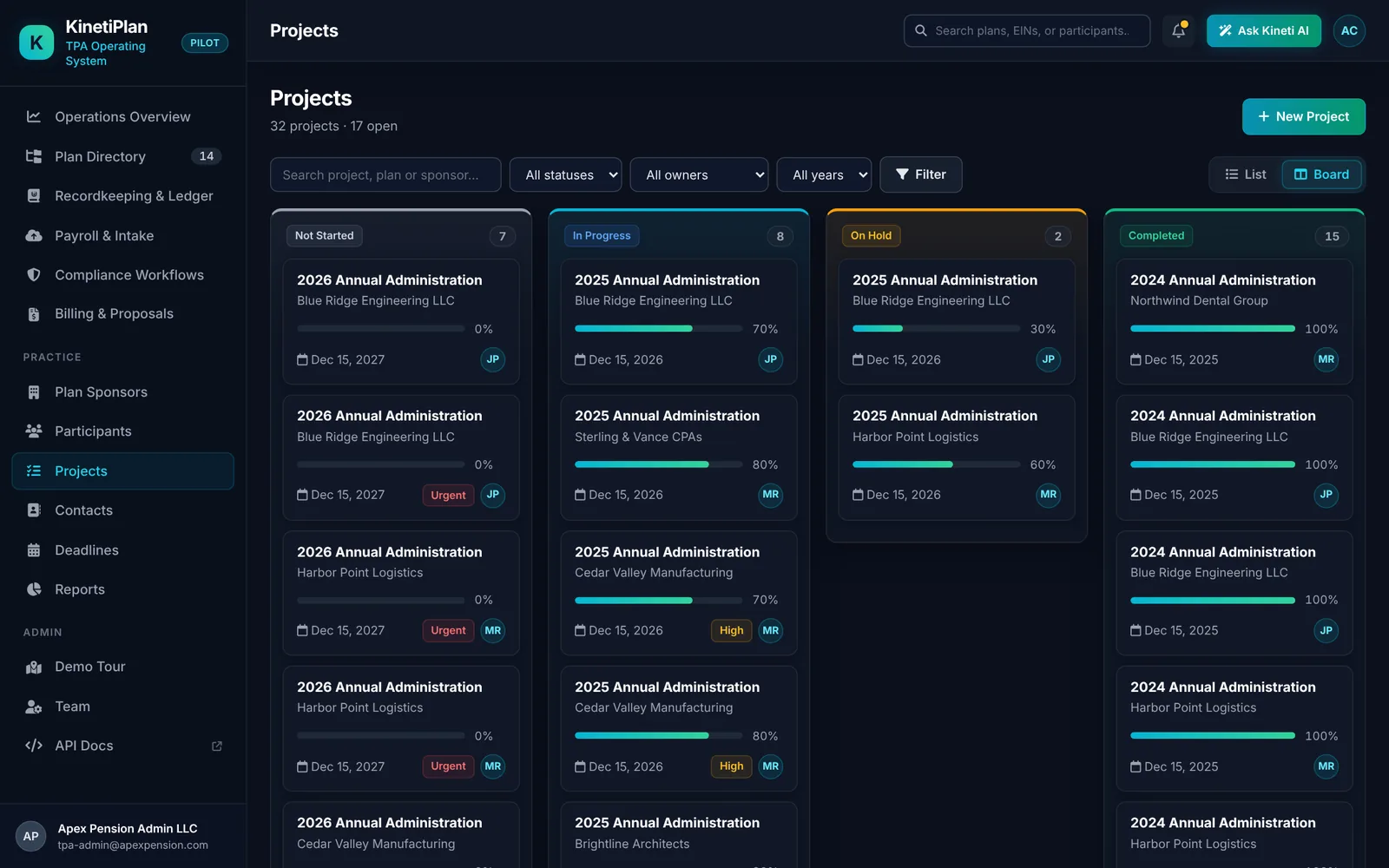
Operations overview from the KinetiPlan pilot build · synthetic demo data
KinetiPlan’s pilot build runs core TPA work in one place today: plans and sponsors, participant census, annual administration projects, nondiscrimination testing, the compliance calendar, the recordkeeping ledger, payroll intake and billing. These screens come from the pilot demo environment, which uses synthetic data only.
Instead of treating each task as a separate island, KinetiPlan’s product direction connects core TPA work across plan data, participant records, contributions, compliance, billing, and stakeholder portals.
Plan setup, participant events, eligibility and recurring administrative workflows.
Explore administration →Participant accounts, transaction history, balances, and reconciliation workflows.
Explore recordkeeping →Intake, validation, exception resolution, allocation, and posting workflow concepts.
Explore contributions →Run ADP/ACP, 402(g) and 415(c) checks, and track Form 5500 / 8955-SSA and corrective-distribution deadlines for every plan.
See regulatory tasks →Connect service information with fee preparation and proposal workflows.
Explore billing →Make key information and actions more accessible to the people you serve.
Explore portals →A practical view of how contribution work could move through a controlled process. Each step has a clear purpose, owner, and review point. This is an illustrative workflow—not a claim of production readiness.
Bring in payroll and contribution data from an agreed source.
Check required fields, plan rules, and expected totals.
Route exceptions to authorized staff with context.
Apply approved transactions under controlled permissions.
Compare source and posted totals and retain evidence.
AI can be useful for summarizing exceptions, finding workflow context, drafting routine communications, or making documentation easier to navigate. Calculations, approvals, money movement, and consequential updates require deterministic rules and appropriate human authorization.
Read our AI principles →TPAs should not need to commit to a full platform replacement before the fit is understood. The intended product direction supports discovery around a focused workflow, integration boundaries, and a phased migration plan.
Explore selected administration workflows while retaining an existing recordkeeper, subject to technical feasibility.
Narrow pilot scopeEvaluate a longer-term move toward connected administration and recordkeeping, with parallel validation gates.
Phased adoptionDefine infrastructure, access, backups, updates, support access, and responsibilities before production deployment.
Shared responsibilityStart with one workflow and agree what needs to be proven before expanding scope. The proposed evaluation is designed to make assumptions, dependencies, and acceptance criteria visible from the beginning.
Explore the pilot approach →Pilot scope and availability are subject to discovery, technical feasibility, and mutual agreement.
Select one process, map systems and roles, and agree what is in and out of scope.
Use approved sample or de-identified data with documented scenarios and review steps.
Review results, exceptions, control gaps, and the conditions for any next phase.
We want early conversations to be concrete: which workflow is painful, what systems it touches, what a successful pilot would prove, and which controls are non-negotiable.
Skip the export-and-upload step. KinetiPlan generates Form 5500 and the schedules a plan needs, flags validation anomalies before anything is sent, routes the filing to the plan sponsor for electronic signature, and transmits it directly to EFAST2 once your team approves.
Move the sliders to match your practice. The simulator shows how many staff hours, how much labor capacity and how many additional plans your current team could absorb if the manual parts of plan administration took less time. Every result comes from the assumptions you enter. Nothing is sent anywhere.
Total hours a year: 0 today, 0 with the change.
Illustrative only. The monthly view spreads your Jan to Apr share evenly over those four months and the rest over the other eight. Results are not a quote, a guarantee or a measured KinetiPlan outcome. See the operations ROI estimator for a per-batch view.
Screen an ADP or ACP result, or check one participant's annual additions against Section 415(c), without leaving the page. These are preliminary screens on averages and entered amounts, not certified tests.
Limit modeled as the greater of 1.25× the NHCE average, or the lesser of 2× the NHCE average and the NHCE average plus 2 points. Participant-level data, prior-year testing, permitted methods and safe harbor status can change results. Open the full ADP/ACP estimator →
Uses a $72,000 default dollar limit or 100% of entered compensation, whichever is lower. Confirm the limit for your plan year and what counts as an annual addition. Open the full 415(c) checker →
Explore interactive workflow tools for operational capacity, contribution reconciliation, employer matching, SECURE 2.0 credit scenarios, and census validation. They are designed for early planning—not as tax, legal, investment, or compliance advice.
Estimate potential staff hours and labor capacity released by reducing repetitive processing time.
Estimate workflow impact →Illustrate a two-tier employer matching formula using salary and deferral assumptions.
Explore a match example →Compare source and posted totals and flag a variance for review.
Check a variance →Explore preliminary small-employer startup, contribution and auto-enrollment credit scenarios.
Estimate credits →Model potential eligibility and plan entry dates using service, age and entry-frequency assumptions.
Check eligibility timing →Compare entered annual additions against the applicable illustrative plan limit.
Check annual additions →Explore preliminary contribution-testing scenarios for HCE and NHCE averages.
Explore testing scenarios →Validate a synthetic or de-identified CSV and download a simple exception report.
Run the census demo →Or model your whole practice in the live capacity simulator above →
All outputs are illustrative estimates based only on inputs entered by the visitor.
KinetiPlan is designed and developed by Software Home, a software development company that builds dedicated teams for financial and retirement-industry clients. Its 401(k) and TPA work includes record-keeping solutions, revenue management automation for 401(k) service providers and complex financial applications for US administrators.
What Software Home brings to KinetiPlan
Hands-on 401(k) and TPA domain work: record-keeping solutions, revenue management automation for 401(k) service providers and complex financial applications for US administrators.
A full delivery team behind the product: developers, UI/UX, QA, business analysis and technical support, working in short, visible iterations.
Read client feedback on Software Home's development work at software-home.net.
Discuss your TPA model, current technology stack, integration needs, and what a measurable pilot would need to prove.