Built for independent retirement plan administrators · Designed for control, clarity, and confidence
THE PILOT BUILD

A working TPA operating system, not just a concept.

KinetiPlan’s pilot build already runs the core of a TPA practice in one place: sponsors and plans, participant census, annual administration projects, nondiscrimination testing, the compliance calendar, the recordkeeping ledger, payroll intake, billing and reports. Every screen below comes from the pilot demo environment.
Pilot build in useAll demo data is syntheticAI assistant planned for a later phase
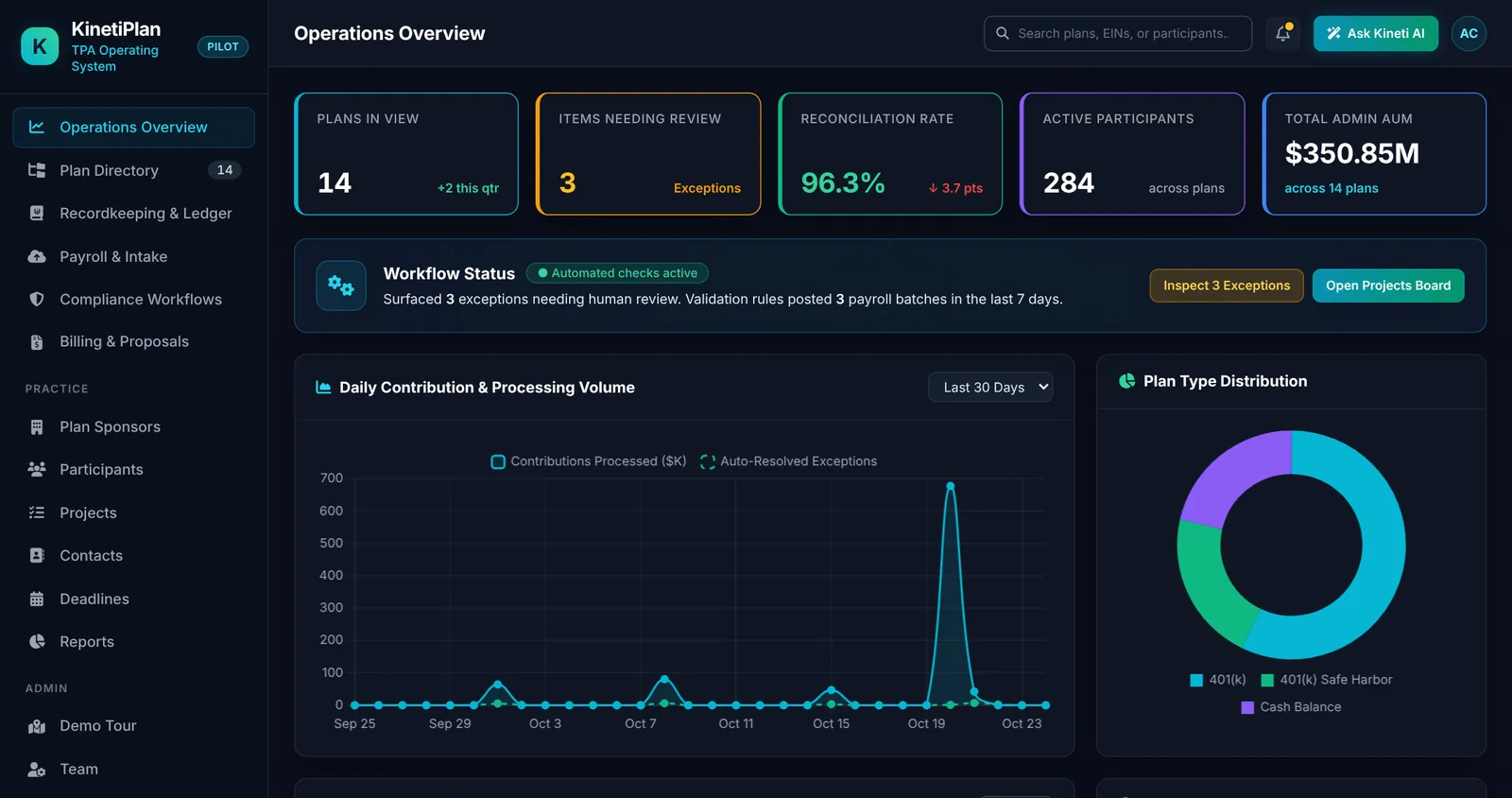
KinetiPlan operations overview with live KPI tiles, workflow status, contribution volume chart and plan type distribution
OPERATIONS OVERVIEW

One live picture of the practice.

  • KPI tiles for plans in view, items needing review, reconciliation rate, active participants and admin assets, computed from the database
  • Workflow status that surfaces exceptions needing human review and payroll batches posted by validation rules
  • Contribution and processing volume over 30 or 90 days, plan type mix, projects due soon and recent activity
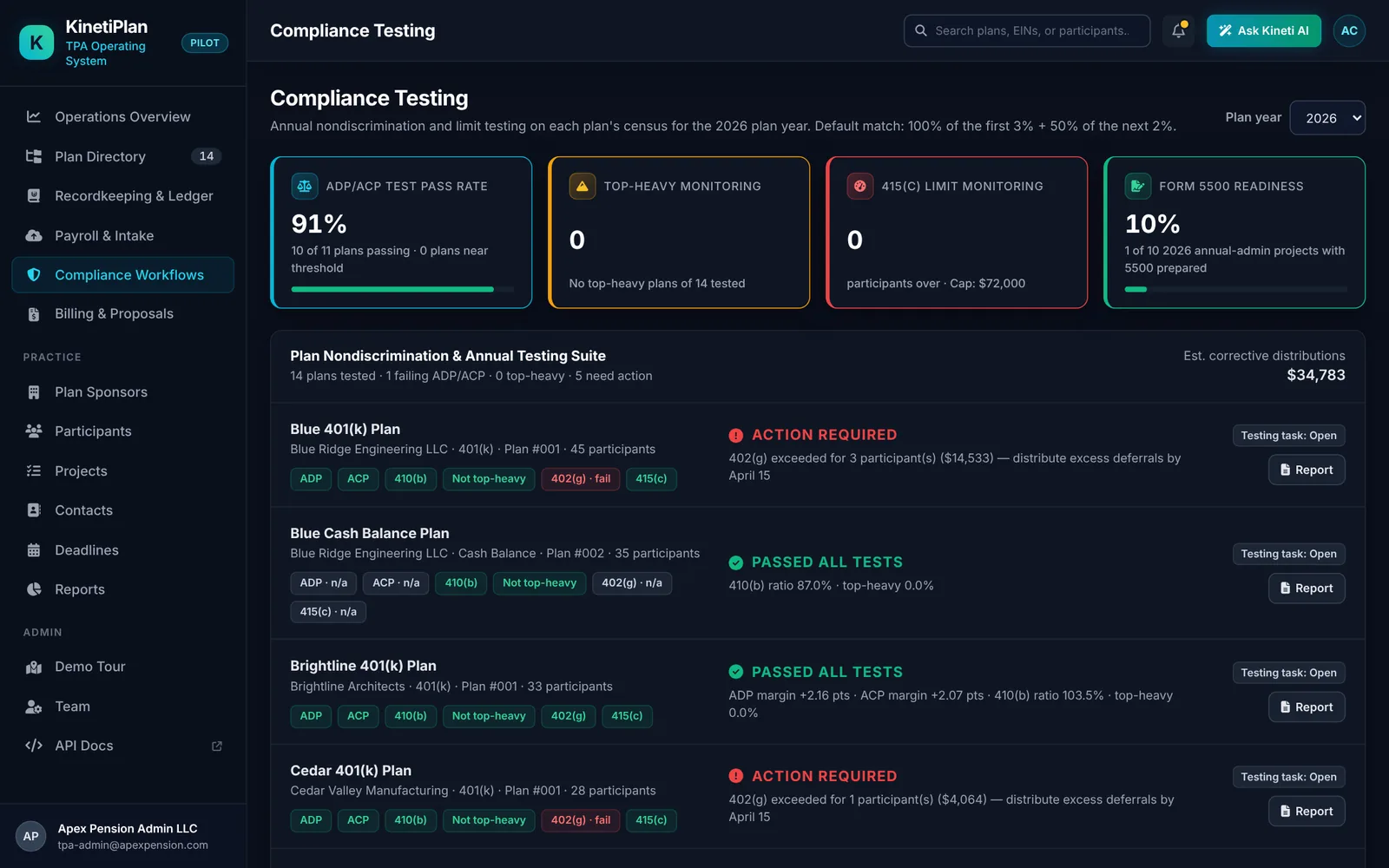
Compliance testing screen showing ADP/ACP, 410(b), top-heavy, 402(g) and 415(c) results for each plan
COMPLIANCE TESTING

Annual testing on each plan’s census.

  • ADP/ACP, 410(b), top-heavy, 402(g) and 415(c) results per plan for the selected plan year
  • Action-required items with the corrective step and deadline, plus estimated corrective distributions
  • Form 5500 readiness tracking and a per-plan testing report
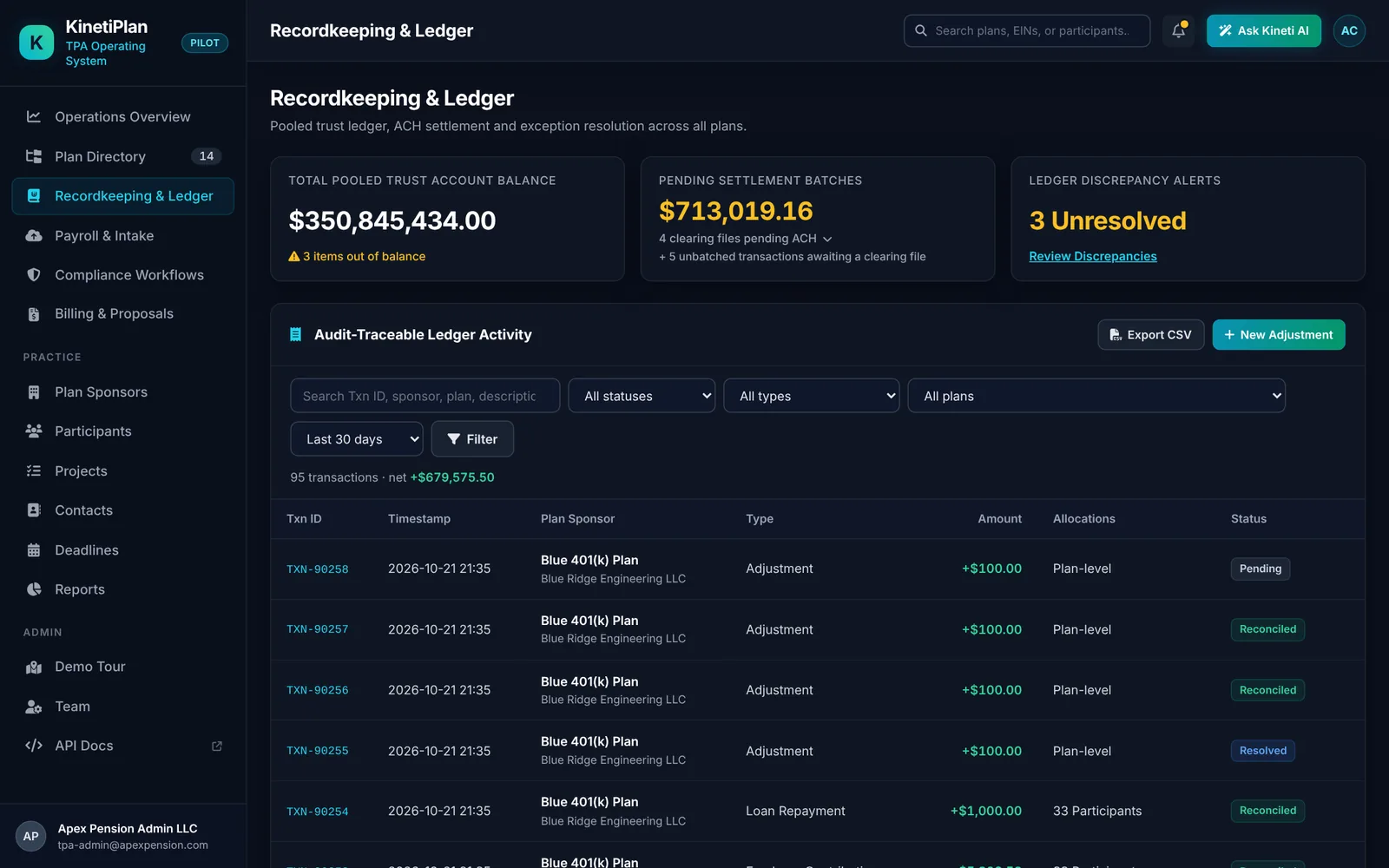
Recordkeeping ledger with pooled trust balance, pending ACH settlement batches, discrepancy alerts and audit-traceable transactions
RECORDKEEPING & LEDGER

Audit-traceable money movement.

  • Pooled trust account balance, pending ACH settlement batches and unbatched transactions
  • Ledger activity filterable by status, type, plan and date, with CSV export and manual adjustments
  • Discrepancy alerts that open an exception resolution center where staff approve or dismiss with notes for the audit trail
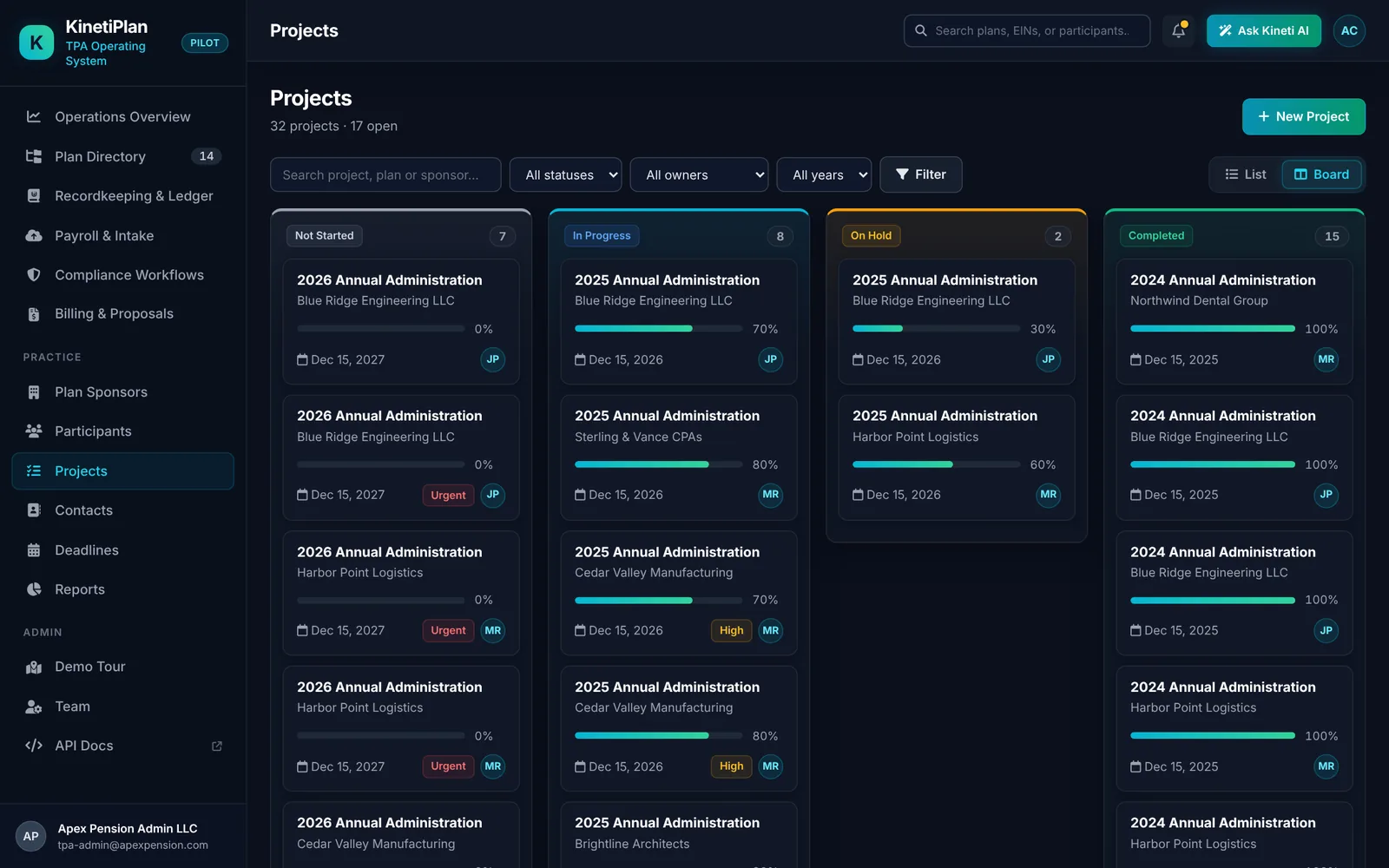
Annual administration projects on a board grouped by status with owners, priorities and due dates
ANNUAL ADMINISTRATION PROJECTS

Every plan year, tracked to done.

  • Projects on a board or list: not started, in progress, on hold and completed
  • Owner, priority, progress and due date on every project, filterable by owner and year
  • Project detail with the tasks behind each annual administration cycle
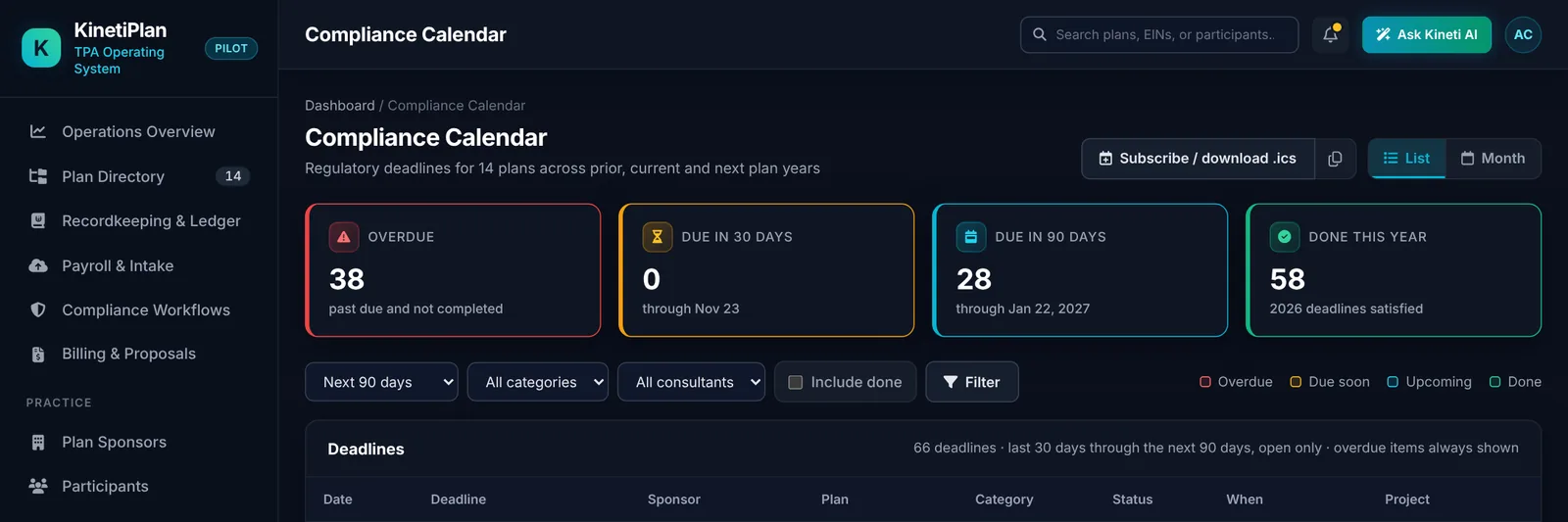
Compliance calendar with overdue, due in 30 days, due in 90 days and completed deadlines
COMPLIANCE CALENDAR

Deadlines you can’t afford to miss.

  • Regulatory deadlines for every plan across prior, current and next plan years
  • Overdue, due-in-30 and due-in-90 counts, filterable by category and consultant
  • Subscribe to or download the calendar as an .ics file
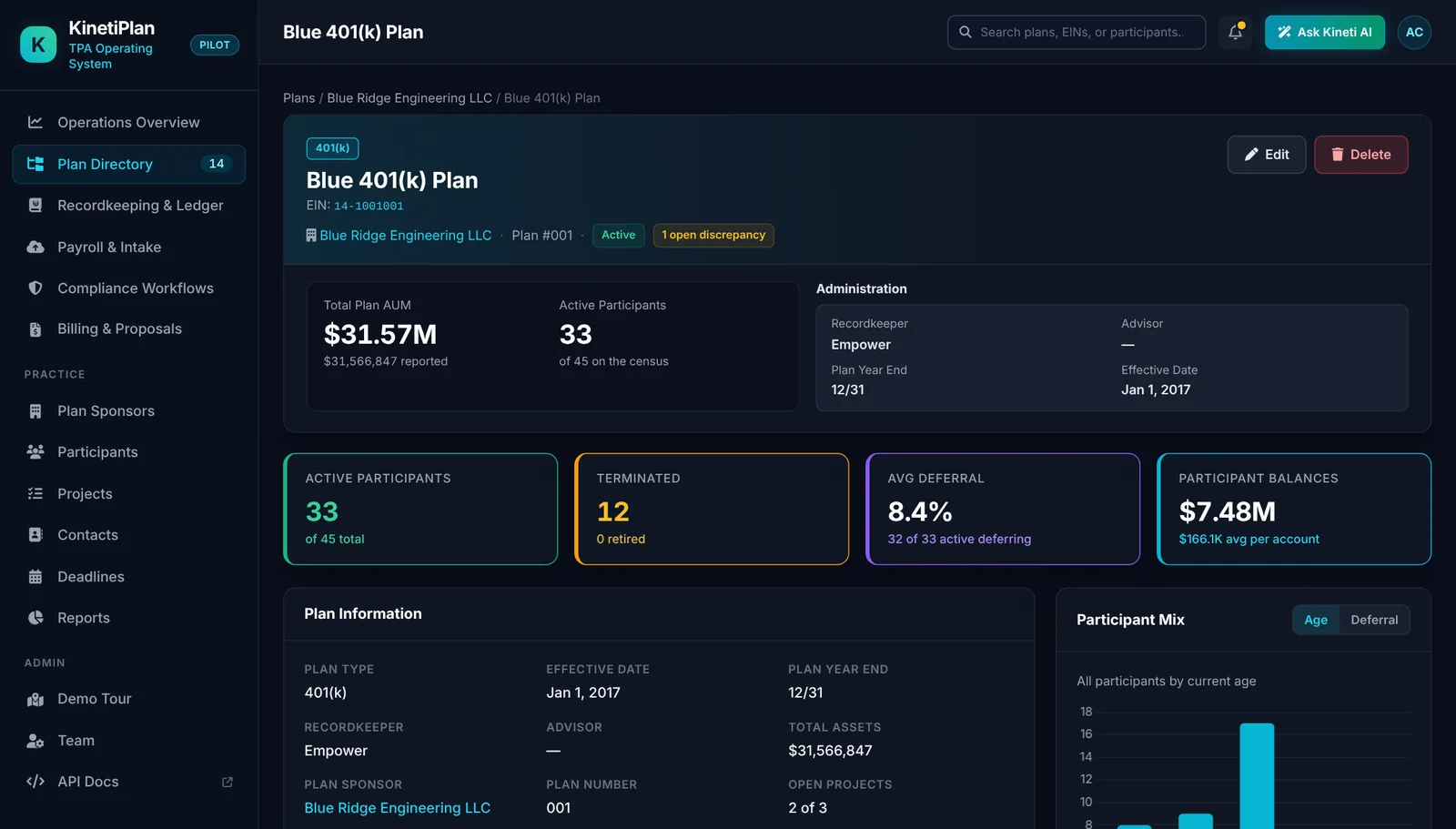
Plan record showing assets, active participants, recordkeeper, plan year end, deferral rate and participant balances
PLAN RECORDS

Everything about a plan on one page.

  • Plan type, plan number, effective date, plan year end, recordkeeper and advisor
  • Assets, active and terminated participants, average deferral and participant balances
  • The plan’s ledger activity, payroll batches, projects and open discrepancies
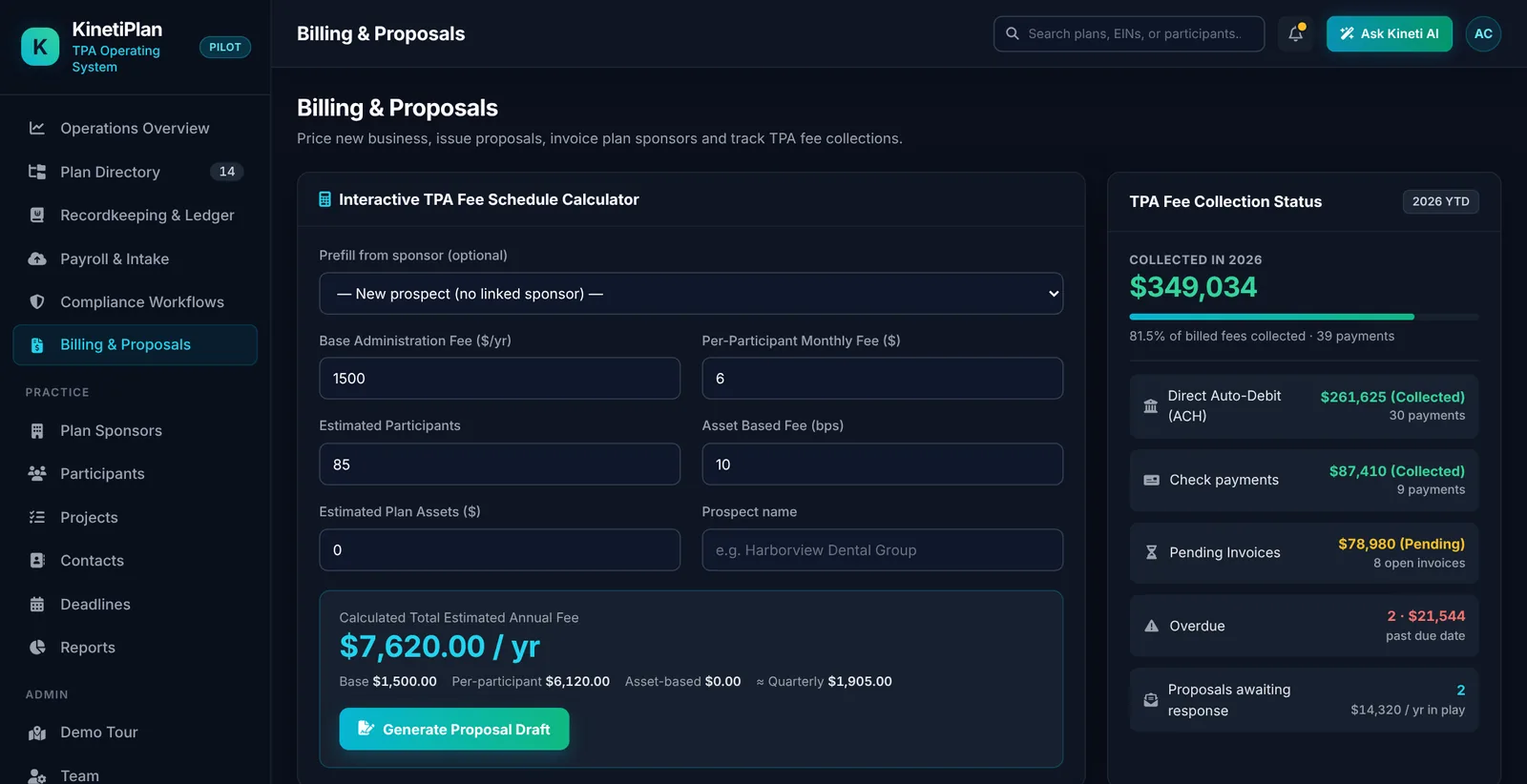
Billing and proposals screen with a TPA fee schedule calculator and fee collection status
BILLING & PROPOSALS

Price, propose, invoice and collect.

  • A TPA fee schedule calculator (base fee, per-participant fee, asset-based bps) that drafts a proposal
  • Fee collection status across ACH and check payments, pending and overdue invoices, and proposals awaiting response
  • Invoice list with quarterly invoice generation
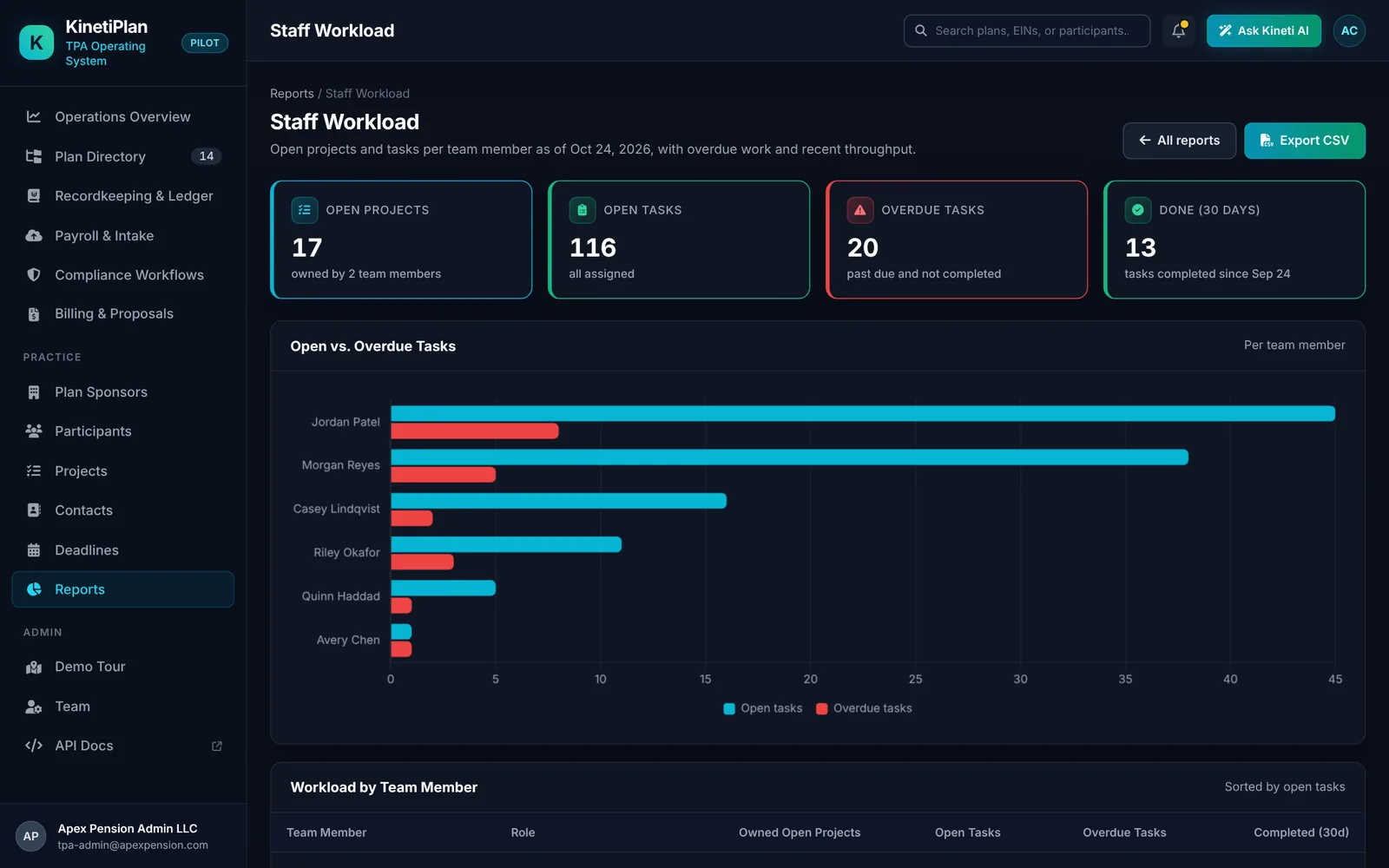
Staff workload report with open and overdue tasks per team member
STAFF WORKLOAD

See who is carrying what.

  • Open projects, open tasks, overdue tasks and 30-day throughput
  • Open versus overdue tasks per team member
  • Sortable workload table with CSV export
ALSO IN THE PILOT BUILD

The rest of the practice, connected.

⇪

Payroll intake

Upload payroll CSV exports from ADP, Paychex, Gusto or a generic layout. Files are validated against the plan census, then posted to the trust ledger; failures are rejected with reasons.

▤

Sponsors & participants

Plan sponsor and participant directories with census detail, linked to plans, contacts, projects and ledger activity.

⌕

Search everything

One search across sponsors, plans, participants, contacts, projects and staff, by name, EIN or city.

{ }

JSON API

A documented JSON API over the platform’s data, with interactive API docs for integration work.

☷

Reports

Standard operational reports such as staff workload, with CSV export for further analysis.

✳

Ask Kineti AI (planned)

AI features are planned for a later phase. In the pilot build the assistant opens a preview panel only and does not call any AI service.

WHERE THE PRODUCT STANDS

What is working today, and what still needs validation.

AreaStatusNotes
Plans, sponsors, participants, projects, calendarWorking in pilot buildShown above with synthetic data.
Compliance testing (ADP/ACP, 410(b), top-heavy, 402(g), 415(c))Working in pilot buildResults should be reviewed by qualified staff before use.
Ledger, discrepancy queue and payroll intakeWorking in pilot buildLive payroll and custodian connections are scoped during a pilot.
Billing, proposals, invoices and reportsWorking in pilot buildFee schedules are configured per TPA.
AI assistancePlannedPreview panel only; no AI service connected.
Production hosting, security attestations and integrationsValidated per customerAgreed and evidenced with each customer before live data is used.
SEE IT ON YOUR OWN WORKFLOW

Book a live walkthrough of the pilot build.

Tell us which workflow matters most and we will walk through it in the product, then outline what a focused pilot would need to prove.

Request a walkthrough →